SEARCH
  SPORTS
  LOGIN
LOGIN  SIGN UP


 SEARCH
 PROVIDERS
Kirgo Login, Registration and Verification Processes
This crypto-first casino is well-known for offering online gambling services globally. But before anyone can start participating in real money betting, the casino requires players to complete a straightforward registration process and make a Kirgo Casino login. Afterwards, go through an identity check and age verification process, as it’s a part of the KYC process. The customer must access the dashboard to complete his or her user profile and can then play any of 10,000+ games, participate in promotional offers and request a withdrawal in 10+ crypto options.
Benefits of Having a Personal Account with Casino Kirgo
It’s a site licensed and regulated by the Government of the Autonomous Island of Anjouan, showing that all the available services are legitimate. After making a Kirgo Casino login, users can participate in real money gambling on over 10,000 games that include slots, table titles, lotteries, specialized options, live dealer activiries and many more.
Similarly, there are exclusive offers to claim, loyalty points to score and faster support in English, French, Spanish and German as a registered player. Furthermore, Kirgo has a mobile functionality that makes on-the-go gaming simple through any mobile browser. A few other benefits are:
- Intuitive user interface
- VIP Club and Loyalty Program
- Responsible gambling tools
- Instant crypto payments
How to Register at Kirgo
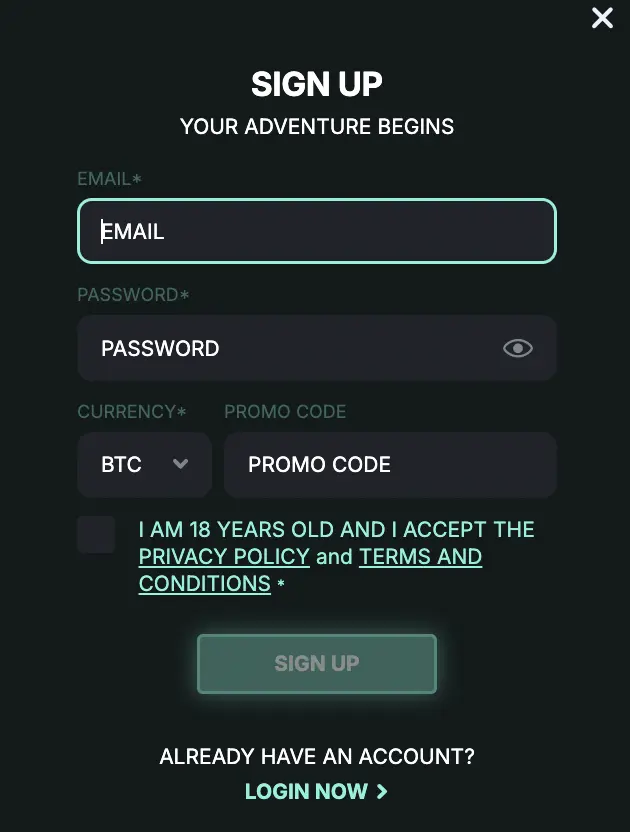
Before one can use this online site for real money gambling, it’s compulsory that a Kirgo Casino registration be completed. It entails providing certain personal information so that the operator can create the account and comply with the KYC procedure. To register, one can follow this step-by-step guide.
- Start Register – Launch the official site and select the “Kirgo Sign Up” button.
- Enter Details – Provide details like email address, preferred currency and create a password.
- Insert Promo Code – Those with a promo code can enter in to get a bonus upon completing their registration.
- Agree to T&Cs – Read through the casino’s terms and conditions and privacy policy before ticking the box to show acceptance.
- Finish Registration – Then, press the “Sign Up” tab to finalize registration.
Required Documents for Players
It’s a regulatory requirement by the licensing agency to upload the user’s documents to perform the Kirgo verification as a part of safety protocol. The documents one requires are:
- A government-issued ID, like international passports or driver’s licenses.
- Proof of address, like a utility bill or bank statement.
- Proof of payment method.
Getting Verified at Casino Kirgo
By submitting the necessary documents after logging in, players can undergo the Kirgo Casino verification process. This will reduce withdrawal processing time. From the day the documents are provided, it could take up to 3 business days to finish the process.
- Initiate Verification Process – After logging in, one needs to click “Menu,” “General,” and select “Verification.”
- Identity Verification – Uploaded a photo ID like a driver’s license or passport in the appropriate file format.
- Selfie and ID – Alternatively, one can hold their ID in hand and take a selfie with the face and ID info well recognizable.
- Address Verification – Upload either a utility bill, phone bill or account statement with the name and address fully indicated.
- Payment – One needs to upload a screenshot or photo from an online bank, e-wallet page or a bank statement, showing the deposit.
Kirgo Login Steps
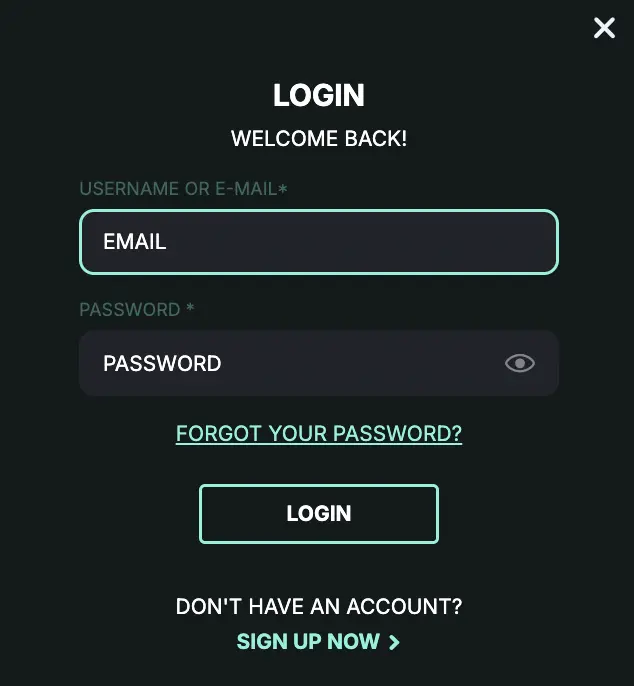
Those that follow the registration steps earlier stated will have an automatic Kirgo Casino login after the email verification. For returning players, it’s required that they provide their email address and password to regain access to their accounts. Just like when signing up, the steps required for logging in are also straightforward:
- Launch Casino – Either on mobile or desktop, enter the official URL into the address bar of any browser.
- Select Log In – From the homepage, click on the “Login” tab.
- Insert Credentials – Provide the exact email and password used during the registration process.
- Access Account – Tap the “Login” tab to regain access to the account.
Login via Mobile App
Krigo Casino login is possible on mobile for anyone who prefers to play on the go. Just like the desktop access portal, the mobile login function grants players access to their casino wallets and 10,000+ games. Also, one can stay logged in for longer because it’s convenient to go around with a phone and carry out a Kirgo login whenever it’s time to play.
Personal Data Protection and Security
During registration, verification and Kirgo Casino login, some information, like ID details, payment details and email, will be collected. For safety reasons and adherence to GDPR compliance regarding data privacy, Kirgo requests consent from players when handling their data. For data privacy, SSL encrypted connection is used. Other security features include:
- 2-factor authentication
- Periodic security checks
- Numerous firewalls
- Anti-fraud programs
Troubleshooting Kirgo Login Issues
It’s possible to quickly resolve common login problems. But if the issue persists, contact customer support for assistance. A few Kirgo Casino login issues and quick fixes are:
- VPN and Proxy – A VPN might interfere with casino security features and block a successful sign-in in an area with VPN restrictions. One needs to turn off all VPN and proxy settings before trying again.
- Incorrect Password – Passwords are case-sensitive, and just a single incorrect character can block access. Turn caps lock on and off appropriately when typing a password.
- Cache and Cookies – Old caches contain expired login details. Regular cache clearing will make room for the data.
Recovering Forgotten Password or Email
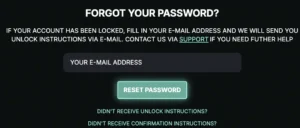
Those who forgot their passwords can use the available recovery process to create a new one. From the Kirgo login page, select “Forgot Your Password?” enter the email and click “Password Reset.” A password reset link will be sent to email and that can be used to create a new password.
How to Delete Your Account at Kirgo Casino
Inactive status, personal decision and other factors can cause one to delete his or her casino account. Account deletion is available on request by contacting customer support. To delete an account, follow these steps:
- Make a Kirgo Login – Provide email and password to get access.
- Complete all pending Transactions – Conclude all ongoing games and withdraw all the balance.
- Contact Customer Support – Through email or live chat, one can contact support and make their intention known.
- Complete Survey – Answer a few security questions.
- Await Closure – Deletion takes a few business days, and the existing login credentials will be deactivated.